Attention users of the ZEBRA GRAPHICS TABLET. Are you tired of having the cursor “spray” all over your screen when you use the Zebra Painter software? Are you carving little grooves into the surface of the Koala Pad in an attempt to keep stray marks from appearing in your graphic creations? Would you like to be able to hold that cursor still? Want to use a MOUSE with TECH-DRAW, the program that emulates Apple’s Mousepaint?
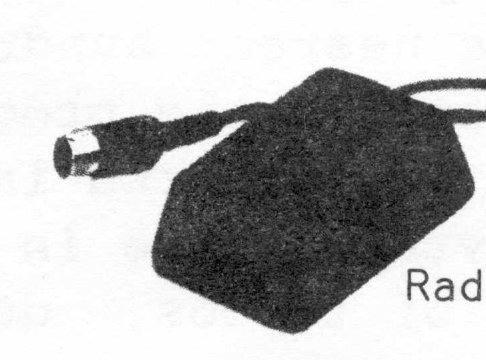
Well you can! Next time you visit your local Radio Shack to pick up a couple of rolls of thermal paper for your ZX or 2040 printer, take a look at their TRS-80 COLOR MOUSE. You’ll notice that the little plug at the end of the Mouse cable looks a lot like the socket in the Zebra Graphics Tablet interface. The only thing missing is the center pin. Is the little light bulb appearing in the balloon above your head?
The Color Mouse will work just fine once the software is initialized. Load your Tech Draw software, for example, and activate the program by pressing the “Command” button on the Koala Pad. Then carefully extract the graphics tablet’s plug from the interface socket. Plug in the Color Mouse cable. Enjoy!
The Color Mouse will allow a degree of control over the cursor unobtainable with the stylus and graphics tablet. If you release the Color Mouse, the cursor just sits there and blinks. If you move the Color Mouse over the table or desk top, the cursor follows its movement. When you press the button on the Color Mouse, menu selections can be made, and drawing is accomplished with incredible ease.
The Color Mouse will not give you more artistic talent than you already possess. But it will allow you to produce graphics in far less time because of the stability of the cursor. The Color Mouse is Catalog No. 26-3025, and it costs $49.95 at your local Radio Shack.
[Editor- Zebra Systems will sell the TECH DRAW software and the Graphics Tablet’s interface (excluding the Kola Pad) separately if a user wanted to adapt the Color Mouse. Write or call for further information and prices: 78-06 Jamaica Ave., Woodhaven, NY 11421, (718) 296-2385]